Monday, March 9, 2020

#757 OIC --> Weblogic JMS adapter

Here is a simple example of using the Weblogic JMS adapter in OIC -


I began by setting up the JMS artefacts in Weblogic -


I then created a simple JMS client to sanity test -


Weblogic is running on my laptop, so I have installed the OIC Connectivity Agent there as well.
It is up and running -


I now create the Weblogic JMS connection in OIC -


My simple OIC integration has a REST trigger -


defined with request/response


The JMS Invoke is configured as follows -


I have created an xsd for the message -


Mapping is as follows -


I activate and test -


I check monitoring in OIC -


I check the Queue in Weblogic -


Great stuff!


Thursday, March 5, 2020

#756 - OIC Oracle Field Service adapter --> Subscribing to OFS Events

Simple example here -
I want to trigger an OIC integration, when a new Resource is created in OFS.

A resource is one who does the actual work - so all hail our venerable resources!

OIC Trigger Configuration 

I drop the OFS connection as a Trigger and configure as follows -


OIC Processing Logic

In real life, the new resource details may need to be sent to a variety of downstream systems.
In my case, I simply write the data to a file via the OIC FTP adapter.


Mapping is as follows -


I activate the integration.

I then create a Resource in OFS.


I do not see any integration running in OIC.
What's happening here?

Enable Event Publishing from OFS to OIC


Back to the OFS adapter documentation - a note to all autodidacts out there -
always good to read this before starting out -


So there are some preparatory steps that have to be completed on OFS side
to enable event publishing to OIC.


Click Add Channel -


Host is yourOIC-Host
Username is your OIC user

Channel is created - 


I create a new Resource -


I go to OIC - Monitoring -


I check the audit trail - there's Johanna -


OIC - THE integration platform for Oracle Field Service!

Tuesday, March 3, 2020

#755 OIC - Oracle Field Service Adapter


Like all OIC adapters, the OFS adapter has comprehensive documentation.
The users guide is available here

Pre-requisites 


There are some pre-requisites, which are discussed in the aforementioned doc -


One also needs the client id / client secret from OFS.


Users, Security, Integrations --> Applications -


Click on Show Client ID / Client Secret.

Note these values for future use.


Create the OFS Connection in OIC -


Use client id / client secret as Username / Password.

Save and Test the connection -


Using the OFS Connection as a Trigger in an Integration


I can drop the OFS connection as a trigger - 


Here one can specify an OFS business object as the request payload -


One can also respond to OFS events -


Using the OFS Connection as an Invoke in an Integration


Most of these Business Objects support CRUD activities.

Creating a New Activity via OIC


Target fields -


and so on...

Valid activityTypes can be found in OFS -


Now to re-iterate, I am a neophyte when it comes to OFS.
So how can I approach such a task?
Which fields do I need to fill?
Which values are valid?

My first port of call is the REST API docs for OFS.


I check out the example request payload -


I use this as the basis for the integration trigger, which is REST based -


resourceId refers to the technician who will be assigned this activity.
I find this id in the OFS app -


customerName - I got this by browsing existing activities in OFS.

activityType - I set this to "Estimate", why Estimate? Why not? I don't know what's valid or not.
I test via Postman - and get the following error, which thankfully lists the valid types.


Now I try with furnace_repair - test and get a response containing the new activityId -


I check out the Dispatch Console in OFS -


Anna is scheduled for furnace_repair on March 18th -
I hope all goes well!


#754 OIC - Service Bus integration

There are many happy SOA Suite/Service Bus customers in the world today.
OIC can make them even happier via the SOA adapter!

As you can see, the Service Bus process has REST and SOAP APIs.

The process itself is very simple, it calls a createCustomer web service that returns a confirmation.


I test this in JDeveloper - that tool of tools!


The result -


Now to invoke this from OIC -
I create the SOA Suite connection, leveraging the new SOA Suite adapter.

Adapter configuration is discussed in a previous post - here

The OIC integration has a REST trigger - the request has 2 fields -
name and email address.

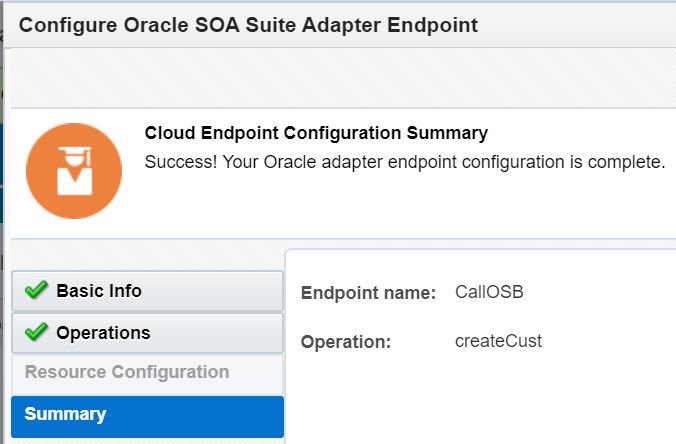
The invoke of SOA Suite is configured as follows -


I deploy and test -


I check out the monitoring in OIC -