This adapter augments our already rich set of ERP adapters. QuickBooks, according to Wikipedia, is "an accounting software package developed and marketed by Intuit. First introduced in 1983, QuickBooks products are geared mainly toward small and medium-sized businesses".
This first release of the adapter will support Create, Retrieve, Update and Delete operations on the publicly exposed QuickBooks business objects. For example - create account, retrieve bill, update customer payment, delete invoice etc.
Creating the QuickBooks connection in OIC
As you can see, the QuickBooks Adapter connection page requires client id and client secret for establishing the connection to QuickBooks application. Please note, the scope, com.intuit.quickbooks.accounting, is added by default, if you do not provide any value in this field.
You will need an Intuit Developer's Account in order to generate client id and secret.
Leveraging the QuickBooks Connection in an Integration
I want to create a customer, so my REST trigger request payload is as follows -
{
"companyName" : "Hare of the Dog Pub",
"contactEmail" : "dominic@hotd.ie",
"suffix" : "Jr",
"title" : "Mr",
"firstName" : "Dominic",
"middleName" : "Bart",
"notes" : "Here are other details",
"lastName" : "Kennedy",
"contactPhone" : "(555) 555-5555",
"companyAddress" : {
"state" : "CA",
"city" : "Mountain View",
"zip" : "94042",
"addressLine1" : "123 Main Street",
"country" : "USA"
}
}
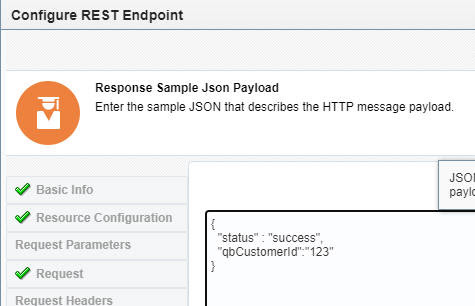
Response Payload is as follows -
The QuickBooks invoke mapping is as follows -
The Response mapping -
Let's try it out!
Retrieve Customer from QuickBooks
So here is a new integration that retrieves a customer, based on id.
The REST Trigger has one request parameter - custId.
The QuickBooks invoke is configured as follows -
Invoke Mapping -
I complete the integration response mapping, activate and test -
I am a total neophyte in respect to integrating with QuickBooks, so I started by looking at their api docs, available
here.
Summary
Net, net, this adapter greatly simplifies integrating with Quickbooks. Hope you get the opportunity to try it out soon!