Showing posts with label Netsuite Adapter. Show all posts

Thursday, June 29, 2023

#973 OIC for Netsuite - leveraging the Netsuite REST api


Going forward we are looking to support the Netsuite REST apis via the OIC Netsuite adapter. 

However, if you want to try them out today...

Netsuite Pre-Requisites 

Enable REST Web Services


Create a new Integration Application - copy the Client Credentials (only shown once, on creation).


Ensure you have a REST enabled role


Assign a user to the role - in my case, it's the user Niall Mac Cumascaigh.

Now create an Access token for this combination of Application and User - 


Test the Netsuite APIs via Postman

Download the Netsuite Postman collection from https://yourAccount.app.netsuite.com/app/external/integration/integrationDownloadPage.nl


This also includes a template environment file, which you need to amend with your Client Credentials etc.


Then try out one of the apis - 


Leveraging the Netsuite REST api from OIC

Create a REST based connection and configure as follows - 


Realm is set to your Netsuite account id; same as the url prefix (Connection URL).

Using the connection in an Integration


Use the response from the Postman test as the sample JSON response - 


Do the necessary mapping, then activate and test - 


Monday, May 10, 2021

#852 OIC May 21 Release New Features - New Recipes - FTP to Netsuite File Cabinet

The May 21 release includes many new recipes - let's look at some of them - today - FTP to Netsuite File Cabinet. 


The use case here is very simple - I have files on an ftp server that need to be copied to a folder in the Netsuite File Cabinet. Many customers need to upload files, attach them to records and then organize them in the Netsuite File Cabinet. The example here, again, is very simple - but does provide the basis for more complex implementations.

The recipe is contained in the following package -   


The only pre-requisites for this recipe are -

  • FTP connection in OIC
  • Netsuite connection in OIC
  • Target folder created in the Netsuite File Cabinet
I have all the pre-reqs - my connections are called AA-FTP and AA-Netsuite.

My Netsuite connection uses the following wsdl url - it is important to use the v2019_1 version of the wsdl.


Once I import the recipe, I can start configuring - 


Step 1 - update the ftp and netsuite connections

This is very easy using the OIC Configuration editor - 

all I need to do is click the Replace icon.


So now let's look at the integration itself - 


Rudimentary error handling has also been implemented - 


Simple enough - gets the file from an ftp directory via the OIC ftp adapter.

Here is my ftp directory - 


The name of the directory/file is set as follows -


So let's look at the Integration Properties - 


I set the ftp directory value accordingly -


Now to the internalId value - this is the internal id of my Netsuite File Cabinet.


I created a new folder - id = 801


I update the relevant integration property with this value - 

That was it - I now copy a couple of files to the ftp directory -


I then activate and test the integration and see the following error -


Ok, so the role is specified in the Netsuite connection definition also needs this permission - so back to Netsuite - 


I re-test and then check the file cabinet in Netsuite - 


Now let's look at some other interesting fields, when creating the file -


attachFrom - valid values are _computer (for local files) or _web 

isPrivate - If you want to be the only person 
isOnline - If you want the file to be accessible externally - file will be accessible via an url.
owner - The owner of the file is a RecordRef , i.e. points to a Netsuite business object - 


I augment the recipe, by adding an explicit call to Netsuite in order to attach the file to my customer -


Here is the target payload for the Attach Invoke -

I will use the following customer - id - 16987


The File internal id source field - 


I delete the 2 files from the File Cabinet and re-test, then validate in Netsuite -
File have been attached to the customer.


Friday, March 12, 2021

#837 - OIC --> Netsuite & HubSpot - User Events calling OIC to sync Price changes

 Following on from the previous post and it's use case - 


Firstly, a BIG THANK YOU to my colleagues Maria and Subhani for their support here!

Back to the pattern - user event script triggered when an Inventory Item is updated.

The updates I'm interested in are those to the buy and sell prices.

This is the buy price - PURCHASE PRICE


This is the sell price - List Price


The HubSpot Product objects has been augmented with a field to hold the Netsuite Inventory Item Internal id. The instructions on doing this have been detailed in a previous post. I also a new custom field to the Netsuite Inventory Item - 


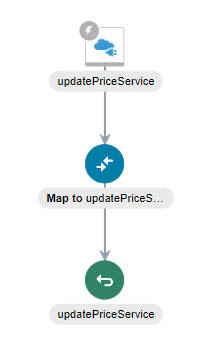
I begin with the following OIC Integration skeleton -


Here is the REST Trigger Request payload - 


My user event leverages javascript. I first need to upload this file to Netsuite - 


I can create a script based on this file, now that it has been uploaded to Netsuite -


I need to apply this script to the following - 


Now to the javascript code - here a big thanks to Maria! The first part checks if the purchase costs has changed. Note the 2 contexts used - oldRecord and newRecord.

It also stores the Netsuite Internal Id and the hubSopt Product id in variables.

I consulted the Netsuite Records Browser to get the actual field names - It is available here


The next part checks for list price changes - 


The final part calls OIC - 


So let's test this out - 

Purchase Price is currently 99.00


List Prices are as follows - I am primarily interested in the USA price of 559.00


Now I change the purchase price to 89.00 and the list price to 449.00.


I save the Inventory Item - 


I check the script log - 


This is a great feature from Netsuite - 


I check the instance in OIC - 


All that's left is to invoke the REST connection to HubSpot in order to update the price(s).

I test out the api call in Postman -


I validate in HubSpot - 


I now replicate in OIC  - 


Activate and test - 


Again, the caveat - the above integration does not include error handling etc.

Next step would be to use the REST adapter to update the relevant Product on HubSpot.

The above script is available for download here