23.02 brings a rich set of new features to you. So, without further ado, let's look at some of them! This post covers the following -
1. Parallel Processing
2. Certificate UI support for uploading signed key type certificates
3. New Factory api - /usage
4. OIC Projects - Deploy and Observe
Parallel Processing
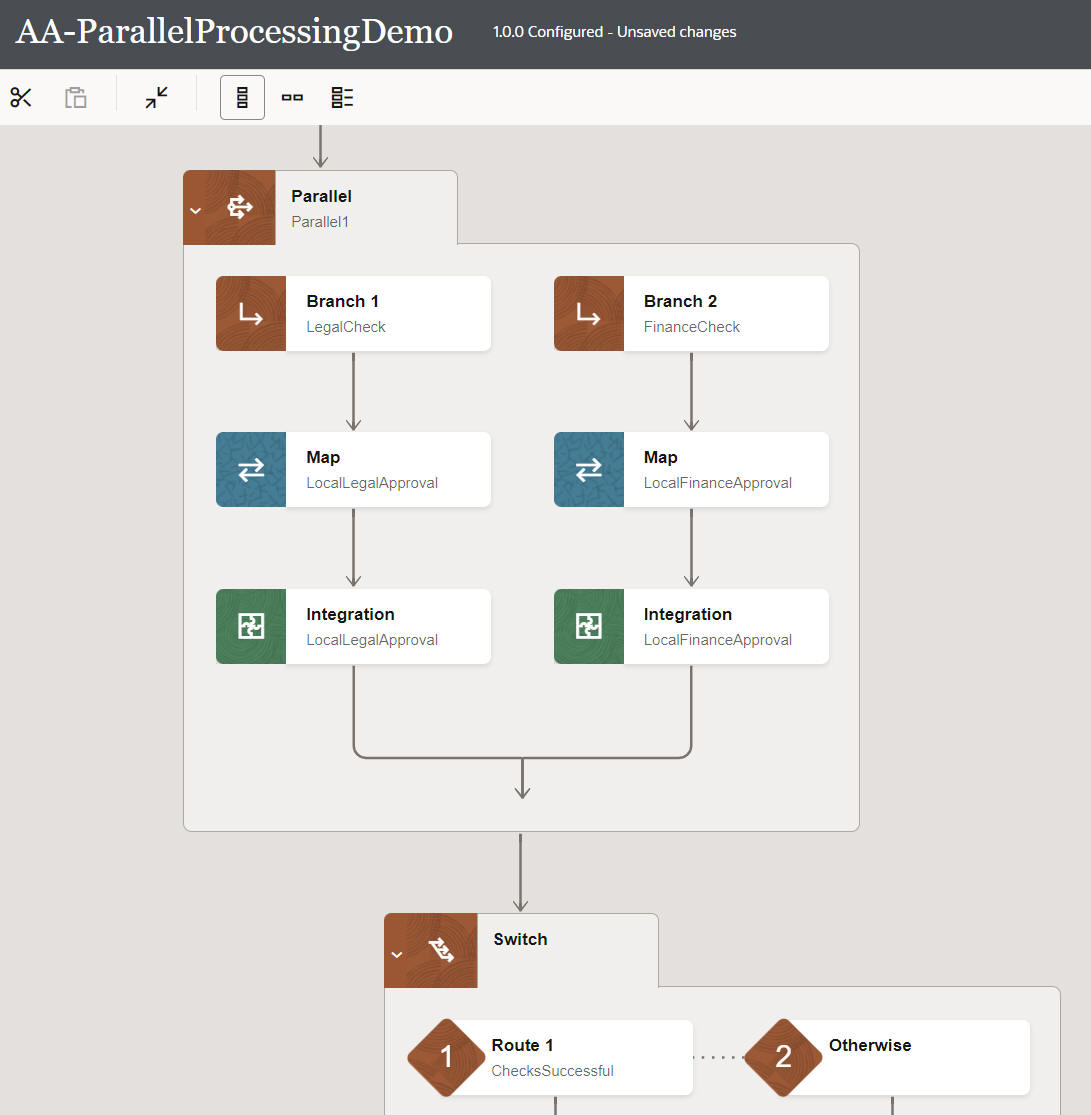
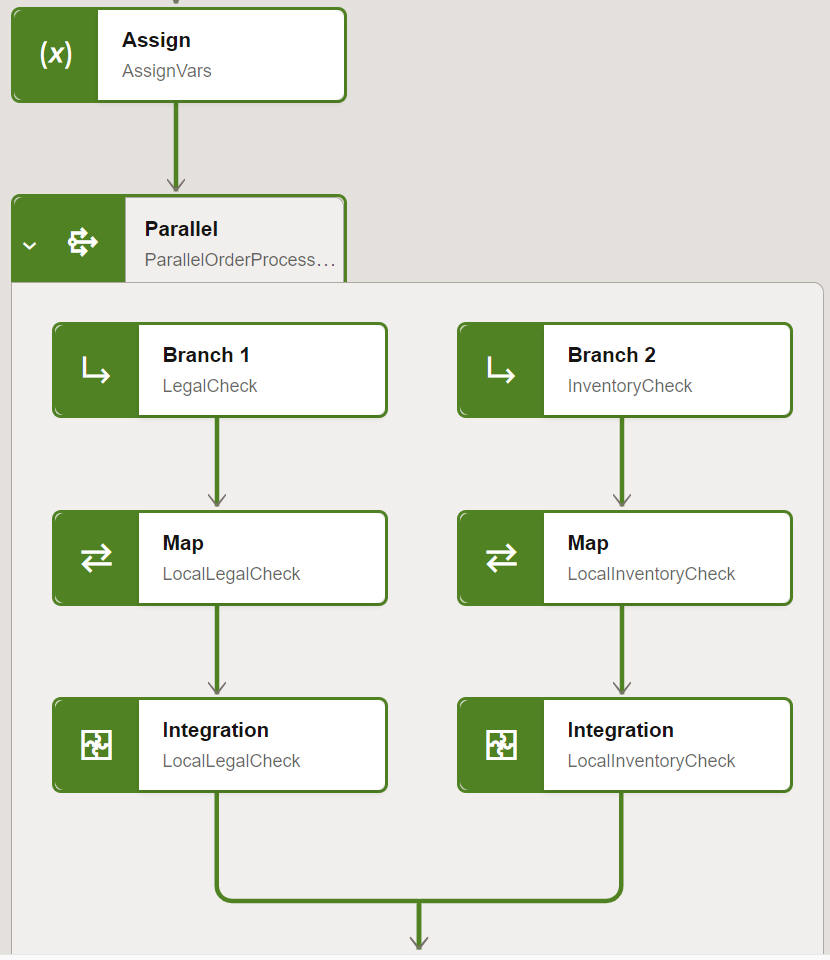
Parallel Processing was introduced in OIC 3 22.12.1 Release. The initial release supported Map and Invoke actions in the branches.
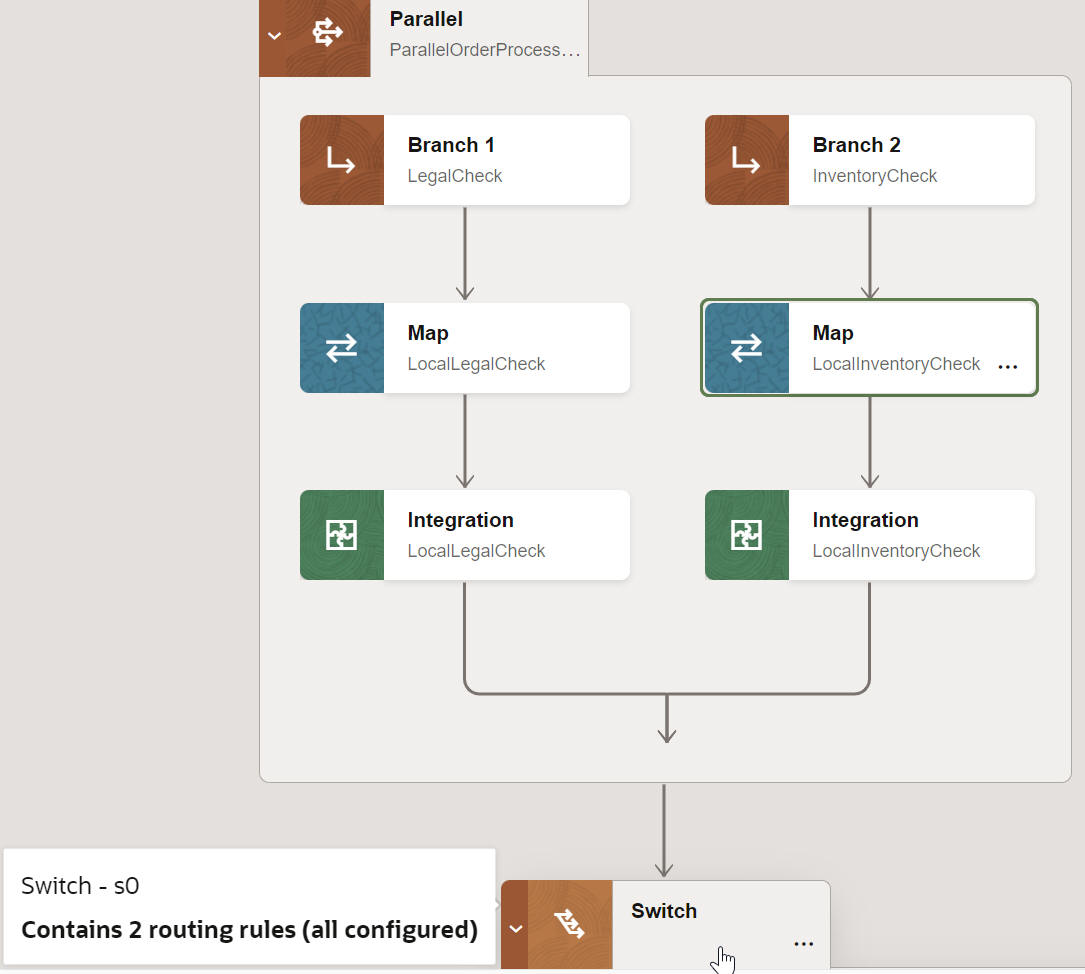
23.02 adds more actions -
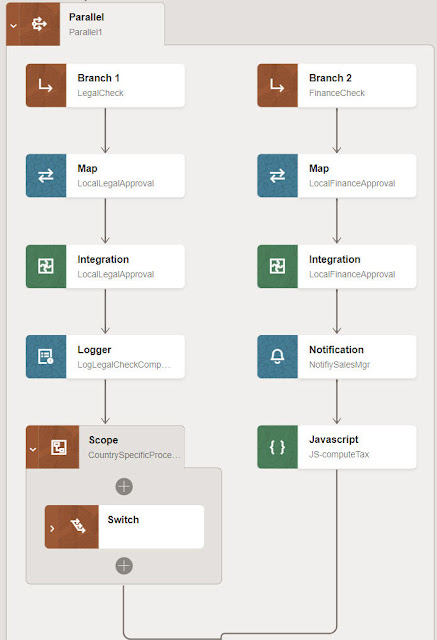
As you can see, one can now add - Logger, Notification, JavaScript, Scope and Switch actions to a branch.
Please note - one can create up to 5 branches in a Parallel action.
Certificate UI support for uploading signed key type certificates
This is useful when you must invoke a service that does not view an OAuth client secret as secure. For these use cases, JWT assertions can be used to authenticate the client application without the use of a client secret. Oracle Integration 3 uses the signing key you upload to generate the JWT assertion.
OIC Factory API /usage
This api is being made public in 23.02 - so what does it give you?
Essentially, this API retrieves information about your integration resources and how they are used. It covers lookups (DVMs), application instances, integrations, integration designs, packages, messages, agent, adapters, API libraries, message system, and schedules.
Let's check it out in Postman -
The url - https://design.integration.yourRegion.ocp.oraclecloud.com/ic/api/integration/v1/usage?integrationInstance=yourOIC3Instance
The response -
{
"adapterMetrics": {
"adapterCount": {
"adapterDisplayNameMap": {},
"marketPlaceAdapterCount": 0,
"preInstalledAdapterCount": 77,
"privateAdapterCount": 0,
"totalAdapterCount": 77
}
},
"agentMetrics": {
"agentsByGroup": {
"AA-Agent-Group": 1
},
"countAgentGroups": 1,
"countConnAgents": 1,
"countExecAgents": 0,
"numberOfDownAgents": 1,
"totalAgents": 1
},
"apiLibraryUsageMetrics": {
"configured": 0,
"inProgress": 0,
"total": 0
},
"applicationInstanceUsageMetrics": {
"active": 4,
"configured": 4,
"inProgress": 0,
"total": 4,
"typeNumbers": {
"QuickBooks": 1,
"REST": 2,
"Mailchimp": 1
},
"typeNumbersArray": [
{
"Mailchimp": 1
},
{
"QuickBooks": 1
},
{
"REST": 2
}
],
"used": 4
},
"domainValueMapUsageMetrics": {
"numberInUse": 0,
"total": 1
},
"integrationDesignMetrics": {
"styles": [
{
"name": "Template",
"patterns": [],
"total": 0
},
{
"name": "Orchestration",
"patterns": [
{
"active": 1,
"configured": 0,
"draft": 0,
"failed": 0,
"name": "Scheduled",
"total": 1
},
{
"active": 5,
"configured": 2,
"draft": 0,
"failed": 0,
"name": "Map Data",
"total": 7
}
],
"total": 8
}
]
},
"integrationStateMetrics": {
"activationInProgressCount": 0,
"activeIntegrationCount": 6,
"totalCount": 6
},
"integrationUsageMetrics": {
"activated": 6,
"activeAppInstance": 4,
"activedMEPs": {
"App Driven Orchestration": 7,
"Scheduled Orchestration": 1
},
"configured": 2,
"failedActivation": 0,
"inProgress": 0,
"integrationsByAdapters": {
"QuickBooks": 3,
"REST": 7,
"Mailchimp": 1
},
"integrationsByAdaptersArray": [
{
"Mailchimp": 1
},
{
"QuickBooks": 3
},
{
"REST": 7
}
],
"intgStyles": {
"Orchestration": 8
},
"numberOfMEPTypes": 2,
"scheduledIntegrations": {
"running": 1,
"stopped": 0
},
"total": 8
},
"links": [
{
"href": "https://...",
"rel": "self"
},
{
"href": "https://...
"rel": "canonical"
}
],
"messageMetrics": {
"aborted": 0,
"debugInstances": 0,
"failed": 0,
"success": 1,
"total": 1
},
"messageSystemMetrics": {
"jmscount": 0,
"omscount": 0
},
"packageUsageMetrics": {
"businessAccelerator": 0,
"developed": 0,
"nonPreBuilt": 0,
"preBuilt": 0,
"recipe": 0,
"technicalAccelerator": 0,
"total": 0
},
"scheduleUsageMetrics": {
"active": 0,
"inUse": 0,
"stopped": 0,
"total": 0
}
}
The response above is from a test instance I have, which doesn't, as yet, have much content. But I hope you see the value of this api.
OIC Projects
OIC 3 22.12 brought the first release of Projects. Check out my original blog post on Projects
here.This release adds more functionality in respect of deployment. Deployments are at integration level. They can include some or all of the integrations integrations in the project. For example, deployment1 could include v1 of integrations A and B; deployment2 could include v1 of integration A and v1.1 of integration B. Deployments can be activated, deactivated and exported.
But let's recap somewhat - what are the benefits of using a project instead of just creating my integrations in the usual way?
1. Organization - ability to organize all related OIC artifacts - integrations, connections, lookups and libraries in one place e.g. my OrderProcessing Project, my HCM onboarding projects.
2. Isolation - project OIC artifacts are not visible outside of the project.
3. Inline development enables quicker development of OIC artifacts
4. Project specific deployment
5. Project specific monitoring
So let's check out what's new in 23.02 -
Let's begin with the 3 buttons -
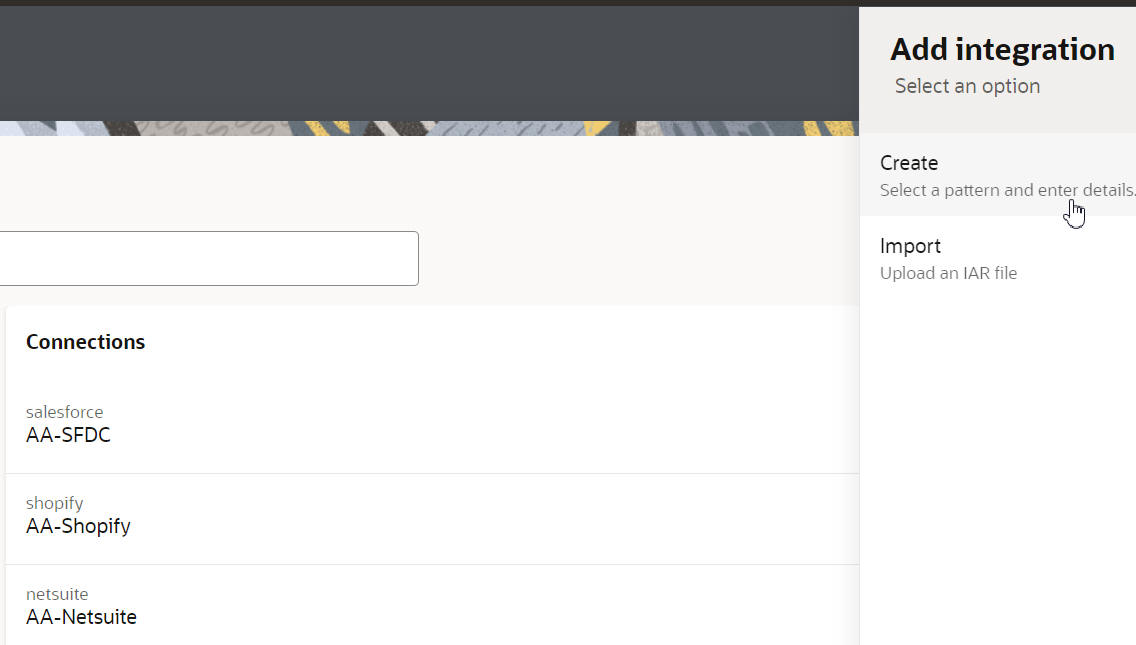
Design your artifacts inline - via the tray control on the right -
Now to Deployment - imagine this is my development OIC3 instance -
Deployments are for integrations, so let's see which ones we have in this project -
Note, I have 2 versions of the integration - AA-ProcessNewOrder -
Back to the Deployments screen - I create a new deployment and include 3 integrations -
I now export the deployment -
Then I import this to another OIC 3 environment, my OIC 3 Test instance -
Target instance has just the 3 integrations in the project -
Back in my Development instance - I complete the development of version 1.1 of the integration AA-ProcessNewOrder.
Now I create a new Deployment - Orders-V2 that will include this version of the integration as well as version 1.0 of the other 2 integrations.
I import into the test environment -
The project there now includes the 1.1. version of that integration -
I hope that succinctly explains the deployment functionality, now to Observe - this gives us a project specific view of instance tracking -
I invoke a couple of integrations, so we'll have something to look at -
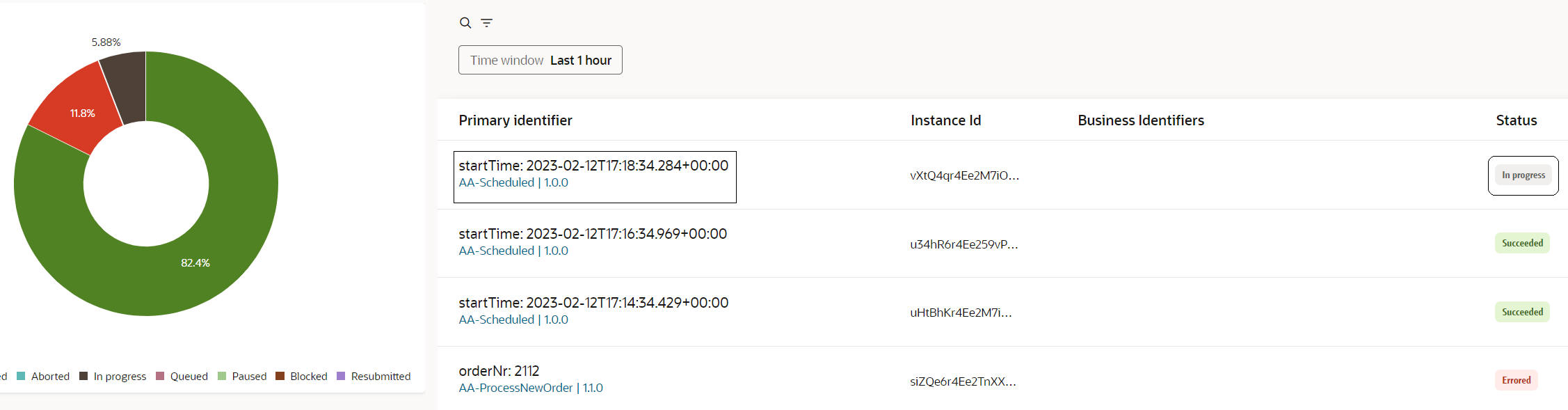
Let's check out the Doughnut - yes - that's the proper way to spell it -
Note the categorization - btw. I also invoked a scheduled job which contains a 2 minute WAIT. I ran this a couple of times, one straight after the other. This is why we see the blocked segment.
2 minutes later and this segment has decreased in size -