Friday, October 21, 2022

#933 OCI Process Automation - Invoking Child Processes and Business Keys

I've a very simple use case here - the main process approves an order then invokes a child process to ship the goods.

My starting point is as follows - 
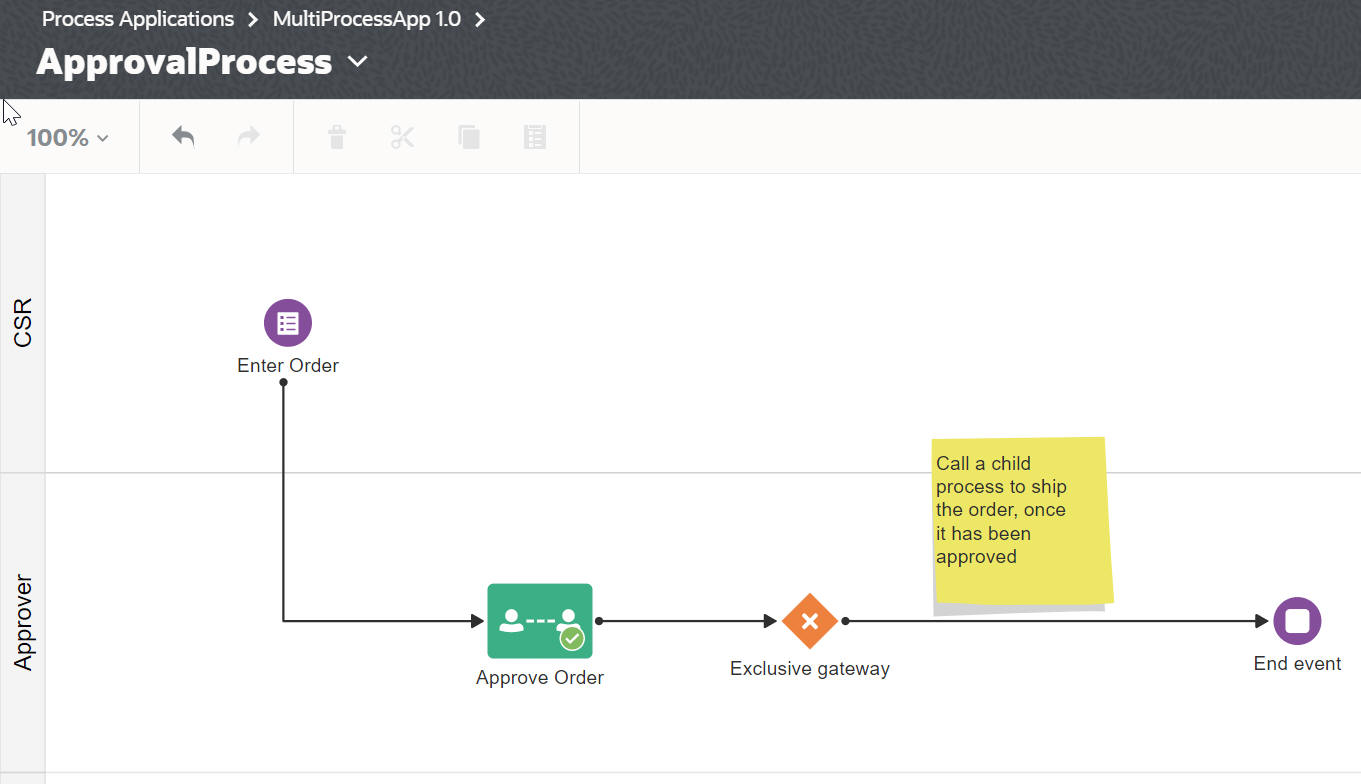

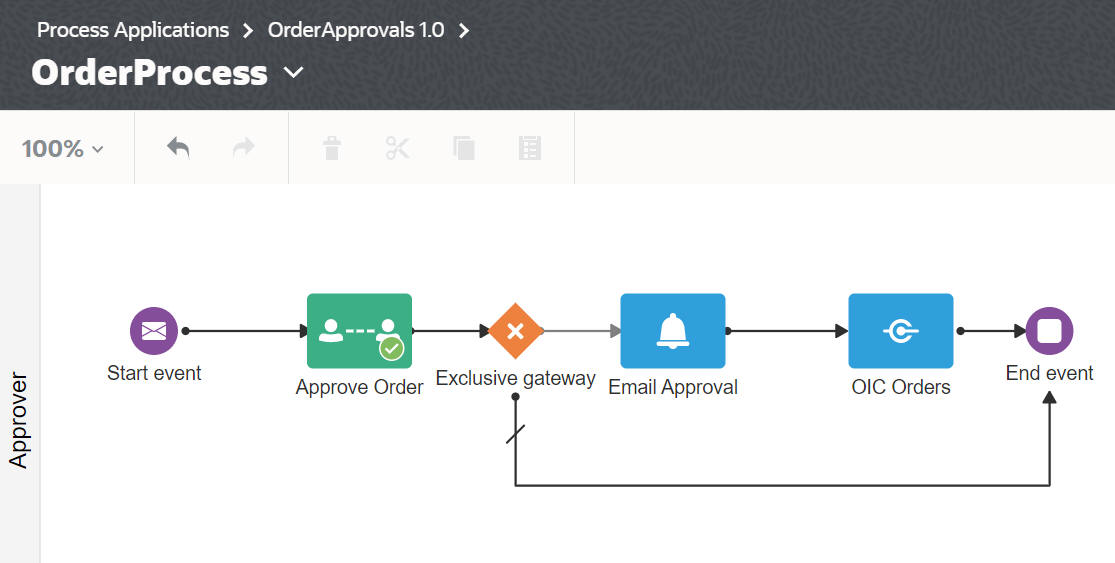
Note the configuration of Enter Order - I have set the Business Key to the Order Nr - 


So now to creating the Ship Order process - 


Once I select the new Start type, the Process Properties UI changes to allow me to enter input / output variables.


Now I add an approval task for the Shipper -


The Human Task is configured as follows - 


Note the auto-binding to the input payload I defined.

Finally, I need to do the output data association - 


 As you can see, I simply copy input to output, then override the order status with the result from the Approve Shipping task.


Back to the Approval Process, here I use the Call activity to invoke the child process.


Let's activate the Process application and test - 


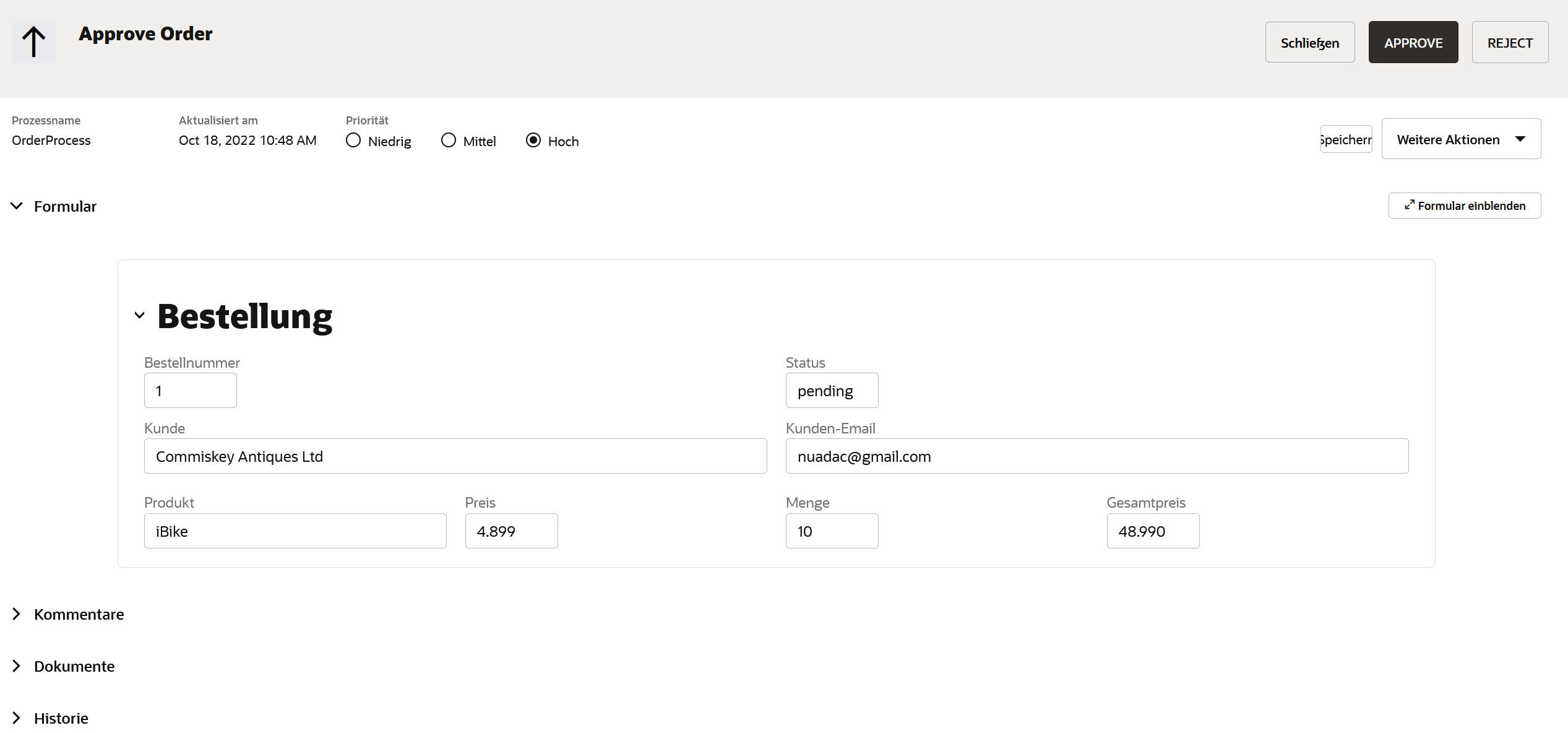
I now put on my approver hat - 


The Shipping Process starts - note the orderNr as reference id -


I can now search on the business key - i.e. the order number, in my case - 2112 - yes, I was a Rush fan in my very early youth!


Our Process Automation is very compelling, easy to use - the perfect addition to your SaaS extension kit.


Tuesday, October 18, 2022

#932 OCI Process Automation - Localization


I have a simple use case here - need to support English and German users for my Order Approval process.
I begin by clicking on the 3 dot menu at application level -> View Localization.


Now I edit the new Locale - 


I see the 3 relevant artifacts from an UI perspective - 


I will just apply to the Order Form - Here is the default English version - 


Now to the Localization - 


I Activate the Process and then create an instance. My OrderProcess is message driven so I do this via Postman -


I now login to Workspace on a different browser, where the language is set to Deutsch.


I look for the new order requiring approval and open the form -


Let's add translations for Approve / Reject.


I activate and then create a new order flow via Postman. I then open the Process Workspace and select the new task - 


OPA makes Localization very easy to implement, or, as we say in German - Alles sehr einfach!


Thursday, September 29, 2022

#931 - Message Driven Processes with OPA - OAuth Setup


A very simple process, just to illustrate how easy this is with OPA.


I Activate and then click on View API


So now I have the endpoint - I need to authenticate via OAuth; so before I can test this I need to register my Oracle Cloud Infrastructure Process Automation instance as a confidential application in Oracle Identity Cloud Service.


Here is the configuration of my Confidential Application -


That's it - but please note the redirect uri has the same format as that for OIC Gen2. 

https://Your-OPA.process.oci.oraclecloud.com/icsapis/agent/oauth/callback

Also note the 2 scopes - one for Process and one for Decisions.

I save the client id and secret and then base64 encode them.


And yes, I still use Windows, or, as we say, in Gaeilge - fuinneoga.


Next step - get an Authorization Code

https://yourIDCSUrl/oauth2/v1/authorize?client_id=yourClientId&response_type=code&scope=https://yourOPAUrl.process.oci.oraclecloud.com/process offline_access&redirect_uri=https://yourOPAURL.process.oci.oraclecloud.com/icsapis/agent/oauth/callback

So, I've now got encoded client id and secret as well as the authorization code - time to get the auth token - 

curl -i -H "Authorization: Basic yourBase64EncodedClientIdSecret" --request POST "https://yourIDCSUrl/oauth2/v1/token" -H "Content-Type:application/x-www-form-urlencoded" -d "grant_type=authorization_code&code=yourAuthorizationCode"

I take the code and now set up the invoke of my Process in Postman - 


Here is the OAuth Configuration - 


Note: Scope is set to https://yourOPA.process.oci.oraclecloud.com/process

I enter the process payload - my Order - 


and test - I see the following error message in Postman -


 Quite correct, I have not assigned any users to my Process role. I return to Process Workspace and do this - 


Now back to Postman - 


That's more like it!

Invoking OPA REST APIs is simple, once you have done the initial setup.

Final step - I validate in OPA Workspace - 


Wednesday, September 21, 2022

#930 - OIC -> Create Customer in Fusion ERP


I have a simple use case here - customer details are entered in SFDC, OIC is invoked to create the relevant customer in Fusion ERP. In Fusion Sales we have the Accounts object, Financials uses Hub Persons / Organizations to express business relationships.

The latter can be created in Financials - I navigated via -


The REST APIs needed to create both types of customers are described here 


Let's look at Hub Organizations


Here is an example payload - 

{
"PartyNumber": "123456",
"SourceSystemReference": [
{
"SourceSystem": "SFDC",
"SourceSystemReferenceValue": "SFDC1234"
}
],
"OrganizationName": "Commiskey Loudspeakers Inc.",
"PartyUsageCode": "EXTERNAL_LEGAL_ENTITY",
"RawPhoneNumber": "9199199199",
"EmailAddress": "niall@commiskeyLoudspeakers.com",
"URL": "www.commiskeyLoudspeakers.com",
"Address": [
{
"AddressType": "BILL_TO",
"Address1": "1916 11th Ave",
"City": "San Francisco",
"Country": "US",
"County": "San Francisco",
"PostalCode": "94116",
"PostalPlus4Code": "",
"State": "CA"
}
],
"CorpCurrencyCode": "USD",
"CurcyConvRateType": "Corporate",
"CurrencyCode": "USD",
"DUNSNumber": "20091962"
}

Note the link to the SFDC source system. This source system code will have to exist in Fusion.


I validate in Financials -


Now back to the Postman response - 


Party Id has been generated by Fusion, the other values are self-explanatory.

Now to the Source System part of the response -


Finally, the Address details - 


Looks good, however, the customer isn't active from an accounting perspective until the following details have been entered - Accounts and Sites


 Here we will use the SOAP based api - 

foundationParties/CustomerAccountService

The PartyId and AddressId returned by the REST invoke will be needed here.

But first, let's create an integration in OIC for the initial customer creation. ERP adapter configuration is as follows - 


I then select the create option.

I used my Postman request payload as the Trigger request, so mapping is very easy - 


I activate and test -