Monday, August 7, 2023

#980 OIC 3 Billing Metrics and Alarms


This is another compelling feature of OIC3, making it simple for you to see the number of billed messages per integration and get notified about such. For example you can set a threshold and get informed via email when that threshold has been reached.

I have the following simple integration that processes a large payload, large is relative, but, in my case, it's well over the 50kb limit for 1 billable message. 


I run this 3 times in the tester and check the instance metrics in the OCI console -


Let's hone in on the Received Messages metric - 


Now to the Billable or Consumed messages metric - 


Note how the count metric returns 3. However, count, in this case, is a count of the number of times the metric was emitted. In this case, 3 times, one per integration test.

Now I look at the sum metric - 6 = 2 billable messages per integration test.


We can now drill down to the Metrics Explorer


Here I can search for a specific integration - 


Excellent stuff, back in OIC, I clone the integration and call the new one - AA-SometimesLargePayloadDemo.

I execute it 10 times, each time the payload is less than 50kb.


Check out the Consumed Messages metric - 


Drop down to Metrics Explorer


Ergo, it is simple to check the billing for each integration.

Check the Advanced mode box on the metrics explorer page - 


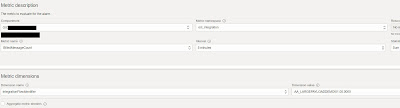
Here I can create an Alarm based on the billing metric - 


This alarm will send me an email if the integration runs generate more than 10 messages in the specified timeframe.

Let's try it out - I run the integration multiple times - I check out the alarm - 


I check my email - 


I can also create an OCI Dashboard for these metrics - 


Here's a screenshot of the complete dashboard - 


I can also work with this widget in OCI Logging Analytics - 


Here is the base query - BilledMessageCount[1d].grouping(integrationFlowIdentifier).sum()

1d = 1 day
1h = 1 hour
5m = 5 minutes

You get the idea. 

Summary

OIC3 Billing metrics show you where your money is being spent. The metrics are available in your OIC instance page in the OCI console. You can also create an OCI Dashboard, based on this metric. Finally, you can also create more detailed dashboards in OCI Logging Analytics. Choose the best option for your requirements!


Tuesday, August 1, 2023

#979 OIC 23.08 New Features

Like every release, 23.08 comes with a plethora of new features, giving you new functionality in many different areas. The post does not cover all of them in detail, however, it does include links to further blogs. docs etc. So, on this Monday, after a great All-Ireland football final, let's get started. I begin with a feature that makes it even easier to work with OCI Services - 

OCI Object Storage Native Action 


This native action allows one to work with buckets and objects.

At Bucket level, it supports - 
  • create bucket
  • list buckets
  • delete buckets
At Object level, it supports -
  • upload object
  • download object
  • delete object
Here's a simple example - iterating over the buckets in a compartment - 


The final step is to specify the compartment to search -


For each is configured as follows - 


Logger action is configured as follows - 

Run output - 


There are plenty of use cases where you could leverage this new native action, many OIC customers are using OCI Object Storage, as it is a very cheap and effective data durability solution. Check out the OCI Object Storage docs for more details.

Monitoring Event Subscriptions

OIC events have been introduced in a recent release. We have the publish action one can use in integrations - 


As well as the Subscribe integration pattern - 


Now 23.08 introduces event subscription monitoring - 


This gives you an overview of all subscriptions and their status, e.g. active or not.

Retained - refers to events that have been published but not yet received by the subscribing integrations. 
Note, currently up to 20 subscriptions are allowed per OIC3 instance.

Here I have 2 integrations - 


Next stop is the OIC HCM Adapter -  

HCM Adapter

I work with many customers who leverage OIC in the Fusion HCM space. They love the atom feed support in our HCM adapter, they'll love it even more with the 23.08 new features.


With 23.08, the OIC HCM adapter now supports 2 new atom feeds - 

  • Employee Work Relationship Cancellation
  • Employ Work Relationship Update

Check out the HCM docs for more information on these 2 new feeds - 


Support for XSLT <xsl:copy-of>


This creates a copy of a node - very useful for mapping data from A to B when both have the same structure, as in the case above. I dragged and dropped the new copy-of function to the Target --> Order -


Finally I map the Source --> Order to copy-of

I activate and test -


Certificate Expiration Notification


Checking this box will enable you to receive alerts on certificates that have expired or on those due to expire within 7 days. 

This is extremely useful as we tend to upload certificates and then forget about them. Which is ok, until they expire.

Improved Adapter Endpoint Configuration

Let's check out the REST wizard, as an example - here I'm configuring it as a trigger - 


Much more ergonomic, compared to before and you will see this new look and feel applied to the other adapters as well. 

The next new feature leads on from this. You may think it's not very significant, but it does get rid of an annoying issue.

Retain tracking variable definitions after trigger/schedule changes

Back to our REST trigger example, let's set the
tracking variable to orderNr - 


Now I add a new field to the request definition - orderReceivedDate


Normally that change would result in the tracking field(s) being initialised, but, with 23.08, no longer - 

Integration Statistics Metrics now available in Projects

The min/max/average/standard deviation metrics released in 23.06 are now surfacing in the Projects Observability UI - 


Set Trace to Debug on Error Re-submissions

We all have experience of this, a job runs with no tracing (Gen2) or the minimum tracing (Production in OIC3). An error is thrown and we just don't have enough detail in the activity stream. 23.08 allows us to resubmit that one job with the tracing set to whatever is required; again, this is only for this particular instance flow, job etc. Here's a simple example -


I can resubmit in Debug mode - 


Timeout Session Management

This enables the auto-sign out of authenticated users after a certain period of inactivity - 

Note the new Security menu option under Settings


23.08 Adapters/Connectivity  

I have already touched on the enhancement to our HCM adapter, however, 23.08 brings much more in the adapters/connectivity space.

We have 3 new adapters -

  • Zuora
  • Google Cloud Pub/Sub
  • Azure Event Grid
The Google and Azure adapters show our commitment to multi-cloud support. 
23.08 also includes many enhancements to existing adapters, such as stored procedures support in the Snowflake adapter. 

You can read more about these and other new connectivity features on orablogs. Kudos to my Adapters & Connectivity colleagues for their sterling work here.